PRISCILA JANUÁRIO. Back home
01SaaS · B2B · Mobile

Kata.io · 2024

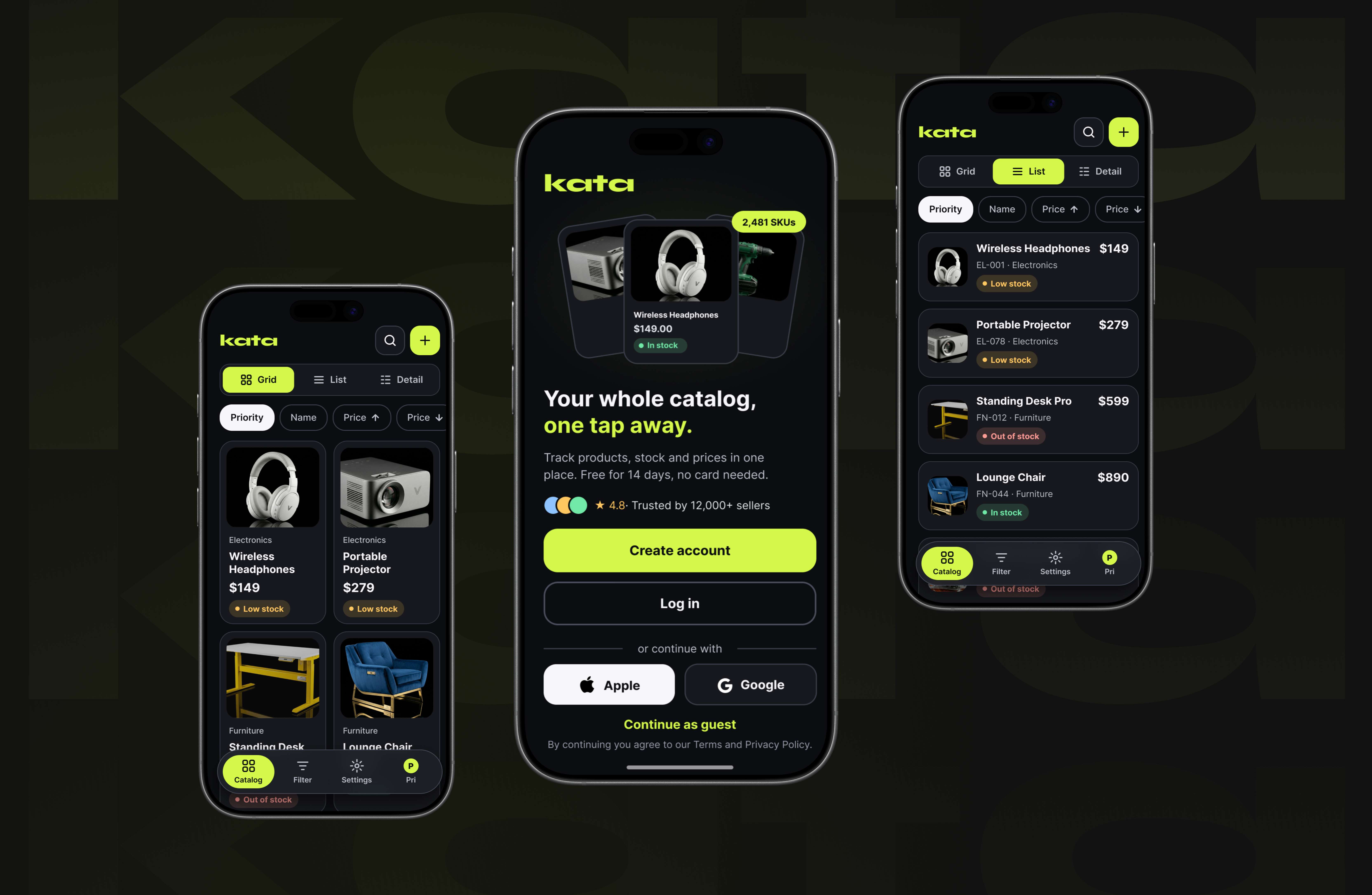
Catalog builder: a mobile-first B2B SaaS redesign.

Rebuilding a cluttered, desktop-only inventory tool into kata.io, a dark-theme catalog manager merchants can run entirely from their pocket.

Kata catalog builder mobile interface

Problem

E-commerce merchants struggle to manage complex catalogs, inventory, and SKUs on the go.

Solution

A mobile-first, dark-theme catalog manager with flexible views, alerts, and in-flow product creation.

Impact

A scalable platform for building, analyzing, and sharing interactive catalogs across devices.

02Design decisions

Designing clarity into every interaction.

Three product decisions that turn a dense catalog workflow into a clear, confident mobile experience for B2B teams.

Navigation interface placeholder

01 / Navigation

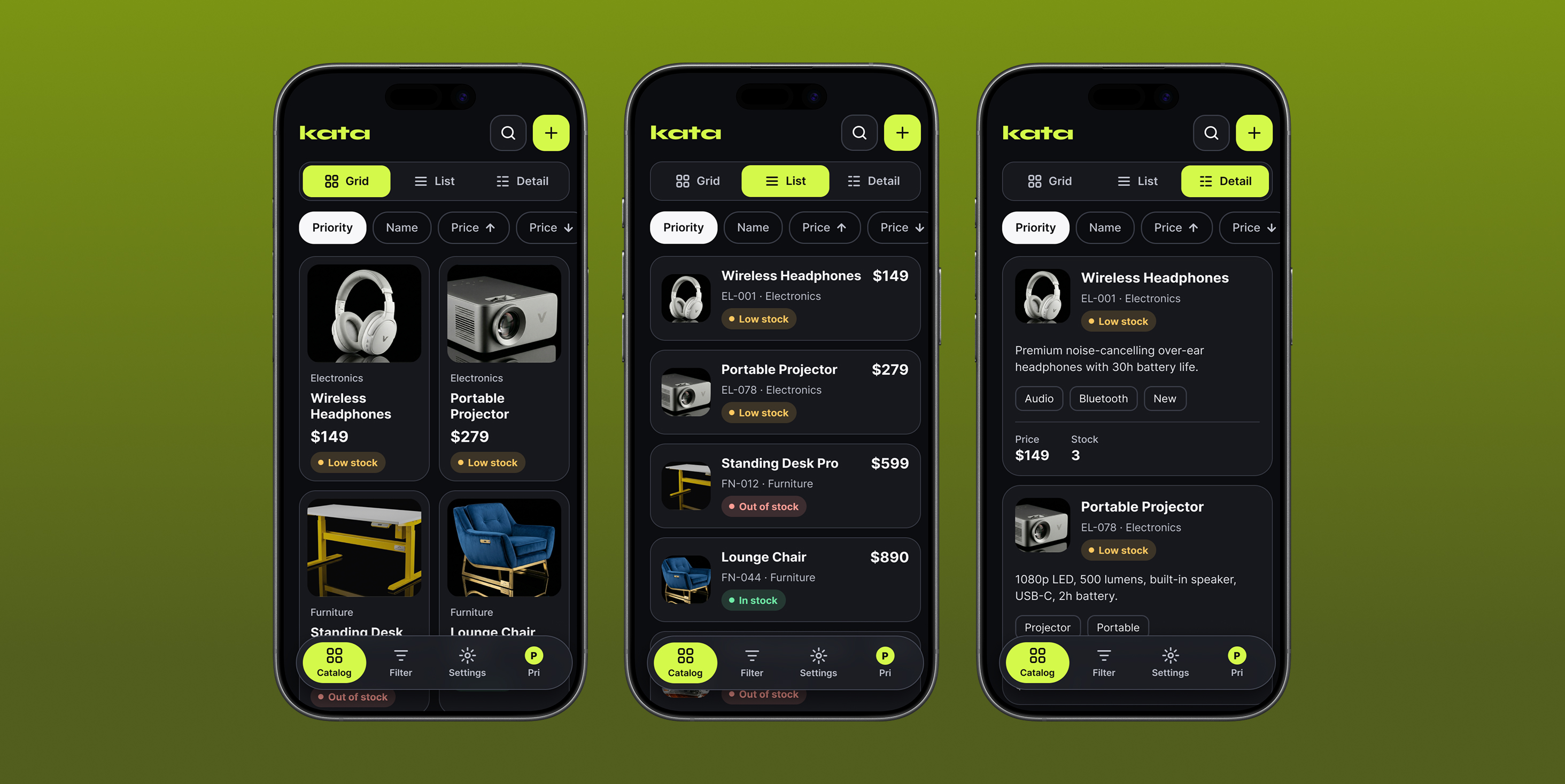
Contextual view modularity.

UI choice

A persistent top-navigation toggle lets users instantly switch between Grid, List, and Detail views of the same catalog.

Business value

Different merchants carry different mental models. One architecture supports visual brands and wholesale distributors alike.
Personalization interface placeholder

02 / Personalization

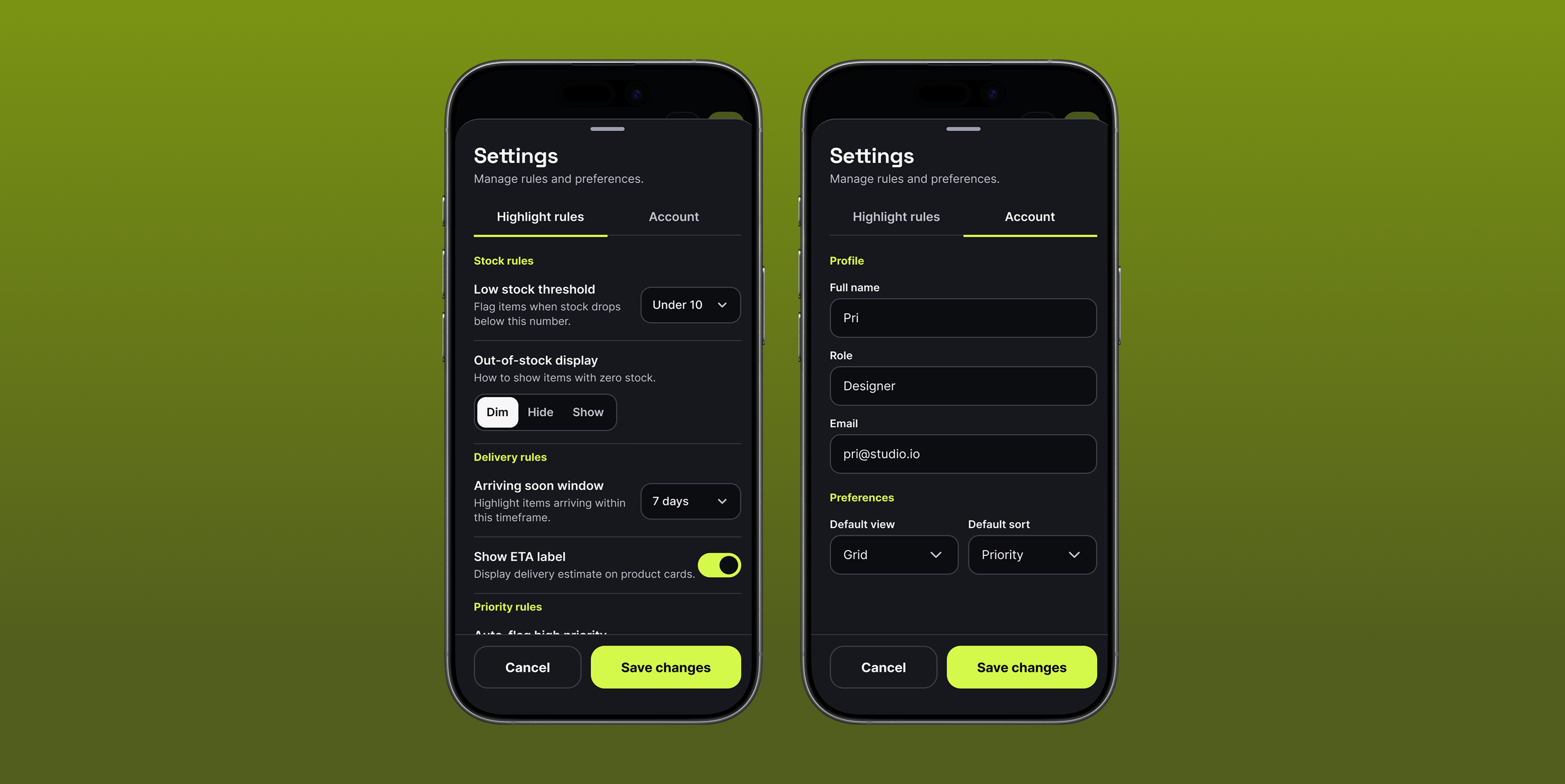
Tailoring the experience: profile & workspace preferences

UI choice

An "Account" settings panel organizes user identity details (Name, Role, and Email) and workspace defaults into clean inputs and straightforward dropdown selectors.

Business value

Allowing users to customize their default views and sorting eliminates repetitive manual setups upon opening the app. It streamlines daily workflows and adapts the interface to the specific needs and roles of each team member.

Data entry interface placeholder

03 / Data entry

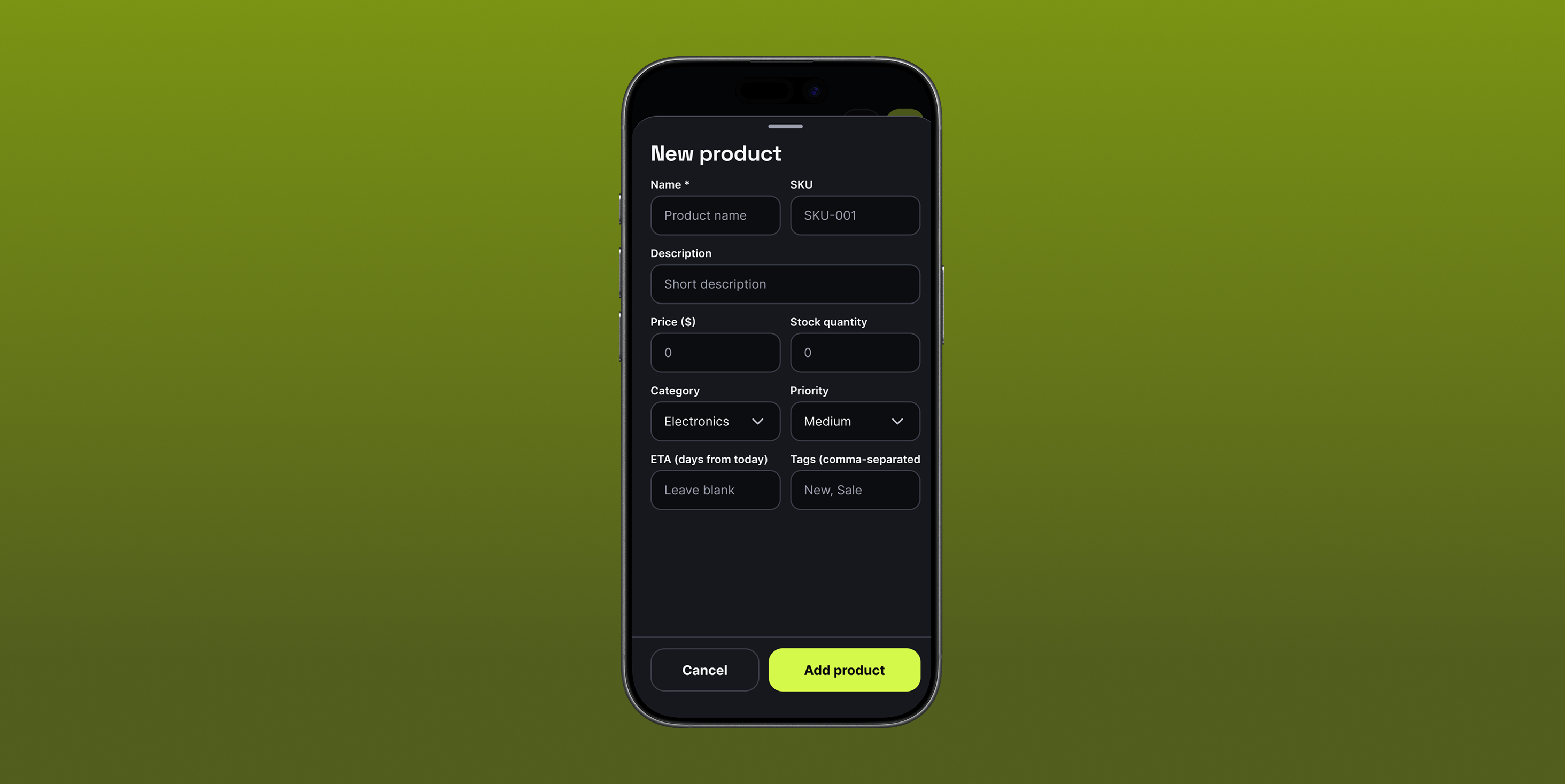
Frictionless data entry. New Product bottom sheet

UI choice

The "New product" flow lives in a modal bottom sheet rather than a full page. Fields are grouped logically: core info, pricing and inventory, categorization, with clear, accessible inputs.

Business value

Bottom sheets keep the catalog visible in the background, preserving context. Users carry less cognitive load and can enter multiple SKUs quickly without getting lost in a deep navigation hierarchy.

04Learnings

01

Density requires discipline

Designing a data-heavy application for mobile demands a strict typographic hierarchy. Monospace-style figures for prices, SKUs, and stock quantities keep numerical data legible and scannable.

02

Contrast is functional

The high-contrast neon accent guides the eye to primary actions, from the floating action button to the Save changes CTA, without overwhelming the interface.

04Next steps

01

Bulk editing capabilities

Introduce multi-select in List view so merchants can apply bulk price changes, category tags, or priority shifts to dozens of items at once.

02

Analytics dashboard

Add a lightweight analytics tab surfacing the highest-converting items and most frequent stock-outs over a rolling 30-day period.

A catalog manager that works wherever the work happens.